
Field manual No. 2026-MBACALC
The financial calculator
you already know—
everywhere.
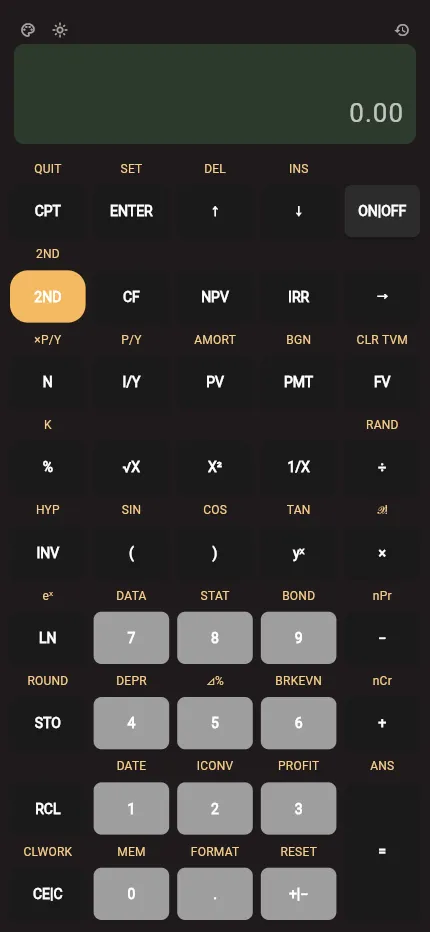
Fourteen worksheets, familiar display behavior, five calculator palettes, and one-tap light or dark mode—in your browser.
01—03 The working method
- 01
Learn
Follow familiar labels, prompts, and worksheet order without relearning the calculator.
- 02
Solve
Work across 14 worksheets with AOS or CHN logic and a familiar 10-digit display.
- 03
Keep
Review calculation history, share calculator state, and continue on desktop or mobile.
02 Reference index
14 financial worksheets
Every worksheet in one responsive keypad, with familiar inputs, prompts, and display indicators.
- 01TVM
Time value of money
- 02CF
Cash flow
- 03NPV
Net present value
- 04IRR
Internal rate of return
- 05AMORT
Amortization
- 06BOND
Bond pricing
- 07DEPR
Depreciation
- 08STAT
Statistics
- 09BRKEVN
Breakeven
- 10DATE
Date calculation
- 11ICONV
Interest conversion
- 12PROFIT
Profit margin
- 13%CH
Percent change
- 14MEM
Memory registers
TVM Worked example

Availability Cross-platform finance tool
Get MBA Calc on any device.
Use the full-featured calculator right in your browser, or install the native app for offline study and financial modeling.
Web Edition
No download needed. Full 14-worksheet calculator running in any modern browser.
Launch Web CalculatoriOS & Android
Keep your financial calculator on your phone with native performance, haptics, and offline storage.
FAQ Questions answered
The practical details.
Everything useful to know before you put it to work.
Can I use MBA Calc in my browser?OpenClose
Yes. The complete Flutter calculator is bundled with this site at /app/, so you can open it in a modern browser without installing another tool.
Which worksheets are included?OpenClose
All 14 core worksheets are present, including TVM, cash flow, NPV, IRR, amortization, bonds, depreciation, statistics, breakeven, dates, interest conversion, profit margin, percent change, and memory.
Can I change how the calculator looks?OpenClose
Yes. Switch between light and dark mode, then choose from five calculator palettes. The responsive keypad also adapts to desktop, landscape, and mobile screens while respecting mobile safe areas.
Does it work offline?OpenClose
The native apps keep calculations on your device. The web build also ships as a Flutter PWA and can cache its application shell after the first successful visit.
Is MBA Calc affiliated with Texas Instruments?OpenClose
No. MBA Calc is independent educational software and is not affiliated with, endorsed by, or sponsored by Texas Instruments.